
AI in-house, so that documents do not leave the company: the idea is appealing, and offers are multiplying. Before talking about graphics cards, you need to know what you want it to do, and how you will know that it is not making things up. Here is what we have learned from running it ourselves.
Memory first, then power
A language model has to fit entirely in fast memory to answer quickly. It is the amount of memory, then its speed, that decide what a machine can do. Three families share the field:
- RTX graphics cards. Very fast, but their memory is limited: 12 to 32 GB on common cards, 96 GB on the RTX PRO 6000 Blackwell, whose price has almost doubled in a few months with the memory shortage. Ideal for a small or medium model, served to many people.
- Unified-memory machines: AMD Strix Halo mini PCs, NVIDIA DGX Spark, Macs with Apple silicon. Processor and graphics share up to 128 GB, which makes it possible to load large models in a small, quiet box. Their memory is slower, so each machine serves fewer people at once.
- Servers, when dozens of users have to be served at the same time. Rarely necessary in an SME.
Prices soared in 2026. A 128 GB Strix Halo mini PC, which was worth between $1,500 and $2,200 in the spring, now costs $3,500 to $4,300. You therefore have to price it on the day, and prefer several medium machines to one very expensive one: if one goes down, the others carry on.
MoE models change the picture
“Mixture of experts” (MoE) models activate only a small part of their parameters for each word produced. A model of 80 or 125 billion parameters calls on only a few billion at a time: it takes up a lot of memory, but it answers almost as fast as a small model.
This is exactly what suits unified-memory machines. Conversely, a large “dense” model, which uses all its parameters for every word, becomes very slow on them.
What we measured
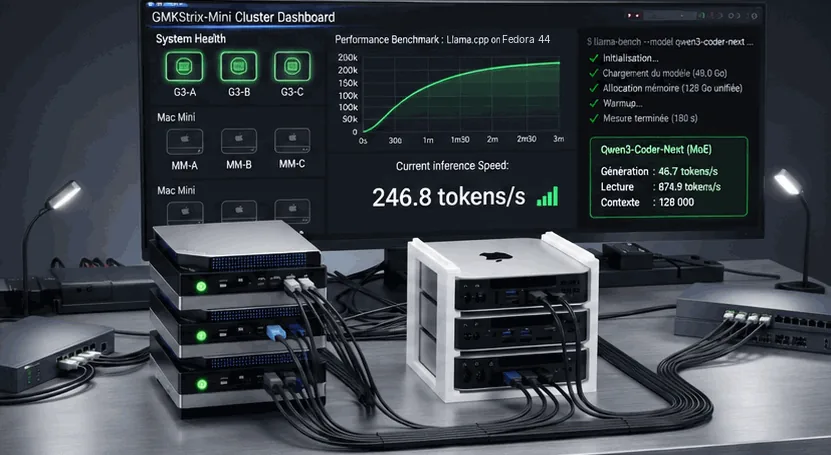
Our working machine is a Strix Halo mini PC with 128 GB of unified memory, running Fedora, with llama.cpp as the engine. Measurements taken in early November 2026, in real use by development agents:
- Qwen3-Coder-Next, an MoE model specialised in code: 46 to 47 tokens generated per second, 750 to 875 read per second, 49 GB of memory. Over one day: 773 requests and 2.4 million tokens read, with no crash.
- Qwen3.8-Flash-Next, a larger general-purpose model: 25 tokens per second, about 500 when reading, 80 GB of memory.
These figures are for a single machine. In a cluster, each box serves its own requests: the throughputs add up, and four to six machines in principle produce four to six times as much.
Two practical lessons. Context length has a physical limit: beyond 131,072 tokens, the memory overflowed and the machine had to restart. And a machine cannot do everything at once: serving a model, running agents and computing images in parallel saturated it. You spread the load, or you schedule.
llama.cpp, Colibri and the others
llama.cpp is the reference engine for running a model locally. It works on almost anything (NVIDIA and AMD cards, unified memory, Mac), exposes an interface compatible with the tools on the market and can be finely tuned. It is the one we use.
Colibri is a more recent engine that moves the “experts” of an MoE model between graphics memory, RAM and disk. It promises to run models far too large for the memory available, on ordinary hardware. It describes itself as experimental: we are evaluating it, but we do not yet recommend it in production.
One model per need
There is no single model that does everything well. What works is a small catalogue:
- Writing and everyday documents: a medium, fast general-purpose model.
- Code: a specialised model, such as Qwen3-Coder-Next, on short, bounded tasks.
- Images and screens: a vision model, to read a screenshot, a scanned invoice, an interface.
- Checking: a second model that rereads the first on what matters: figures, dates, amounts.
For complex, non-confidential work, the large online models remain available. The essential thing is to know, for each task, where the data goes.
A real base rather than tokens
Many offers have the model reread hundreds of pages for every question. That is costly in memory, slow as soon as several people are working, and impossible to verify: the model can mix up, distort or invent.
ClearMyDocs v4, our document engine, starts from the other end. Documents are processed once, and each fact retained is quoted word for word with the document it comes from. An automatic check rejects anything that is not backed by a source. The model then writes from these verified facts, and each statement in the result stays linked to its document.
ClearMyDocs v4 has been running for several months with a local model of reasonable size, on real legal and invoicing files. This is our answer to the question that matters: what do you do when the model is wrong? You do not take its word for it: you check, automatically, against the source.
And training: LoRA or QLoRA?
LoRA makes it possible to adapt an existing model to a field by training only a small additional layer, without touching the original model. QLoRA does the same on a compressed model, which fits in far less memory, at the cost of a little accuracy.
We are experimenting with it to teach a local model the rules of a project from work already judged good. But for most companies, it is not the first step. A good document base and checks bring more, faster, than a retrained model. Adaptation comes afterwards, when you know precisely what is missing.
In summary
- Choose memory before power, and several machines rather than a single one.
- Prefer MoE models on unified-memory machines.
- One model per need, and a second to check the first.
- A verifiable document base rather than pages reread for every question.
- Measure on your own documents before deciding.
ClearMyDocs and our software · Let’s talk about your project